


Published 2026-06-16
Configure your monitoring system in testo Smart Connect
Are you using the testo 160, 162, or 164 data loggers and need help configuring your monitoring system?
In the cloud service, you’ll find Testos’ step-by-step guides that show you how to get started with the monitoring system, set alarm thresholds, and customize the system to your needs. Below, we show you where to find these guides. Click on the images to enlarge them.
Start by logging in to your cloud account.
Click on the account’s email address in the upper-right corner.
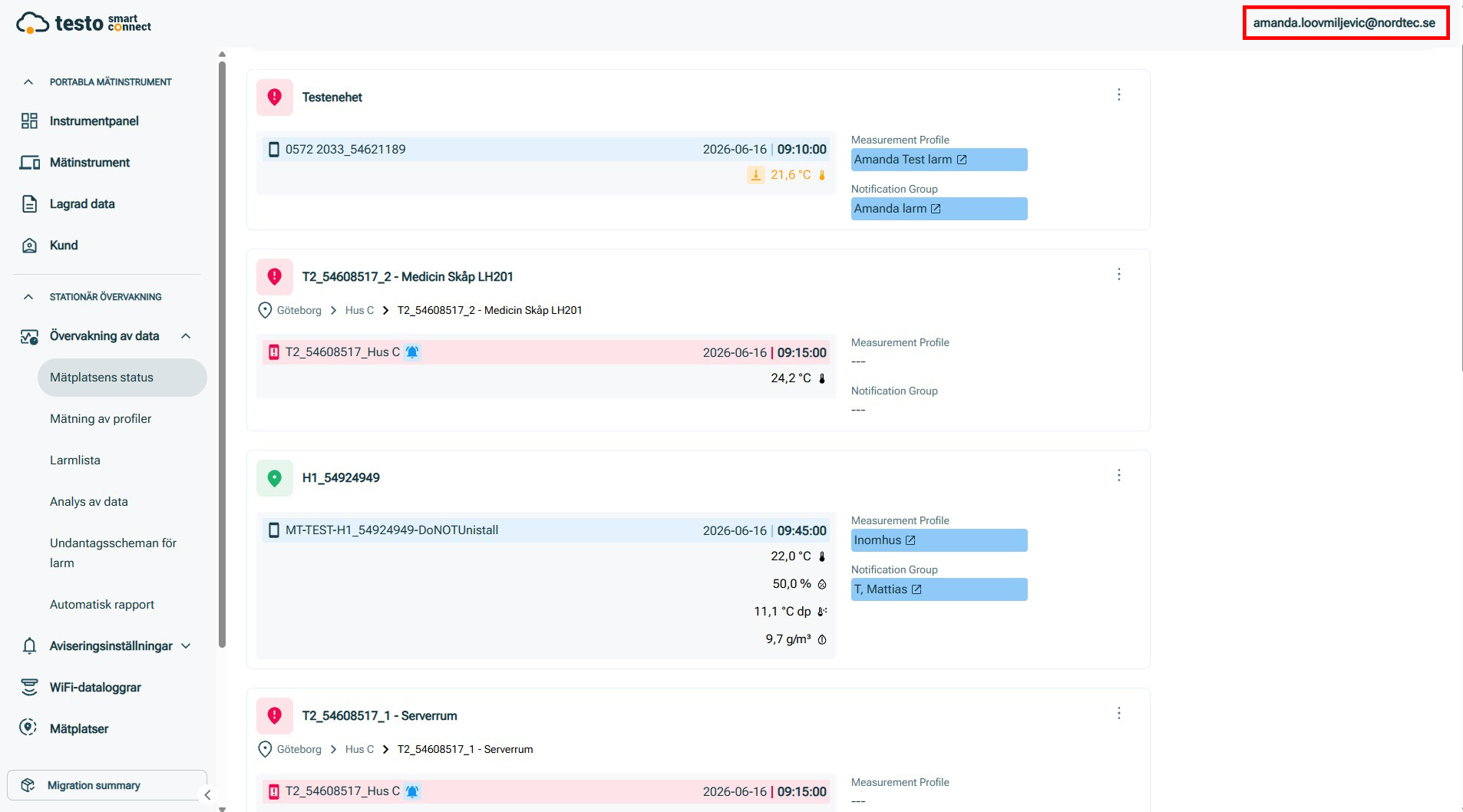
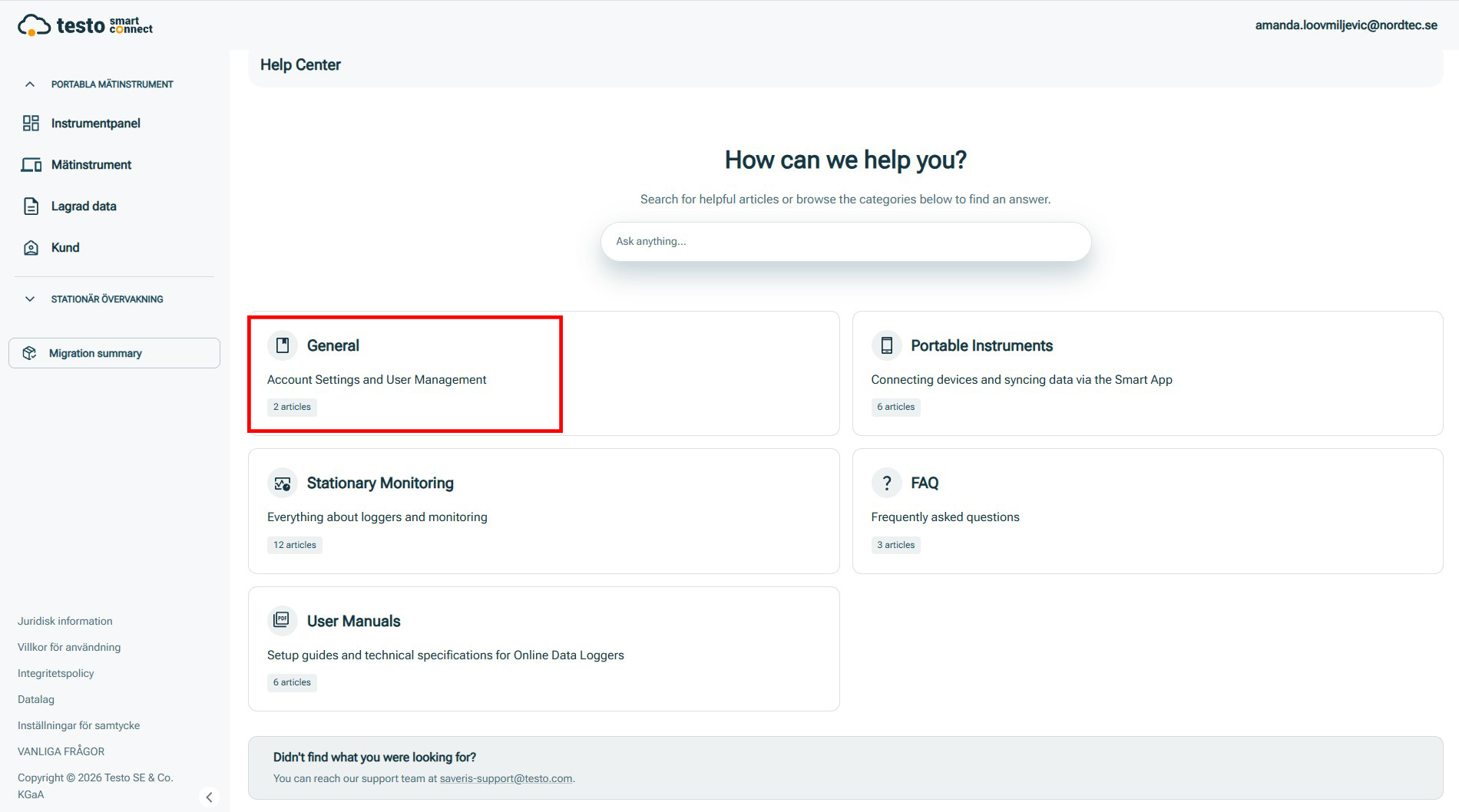
Click “Help Center.”
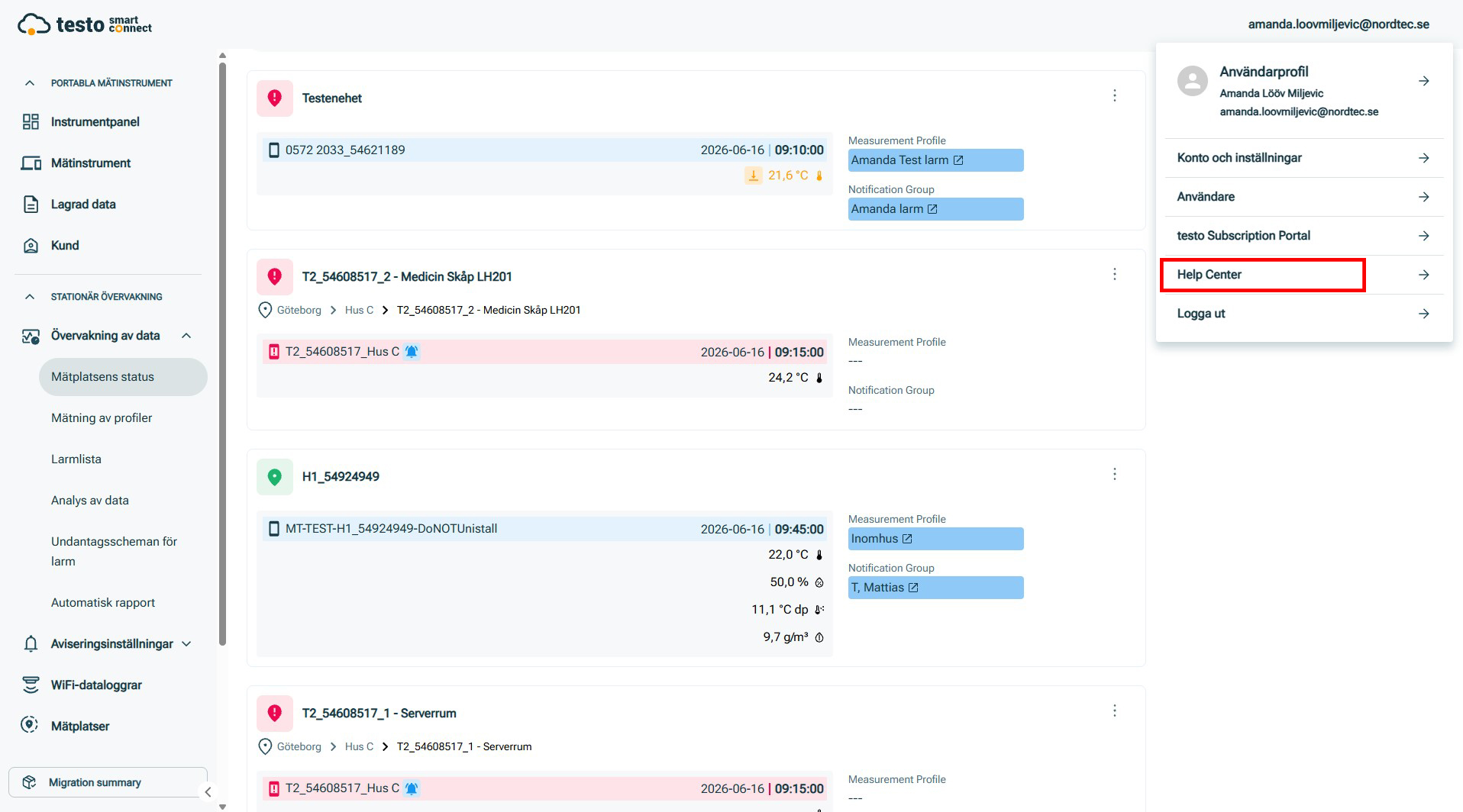
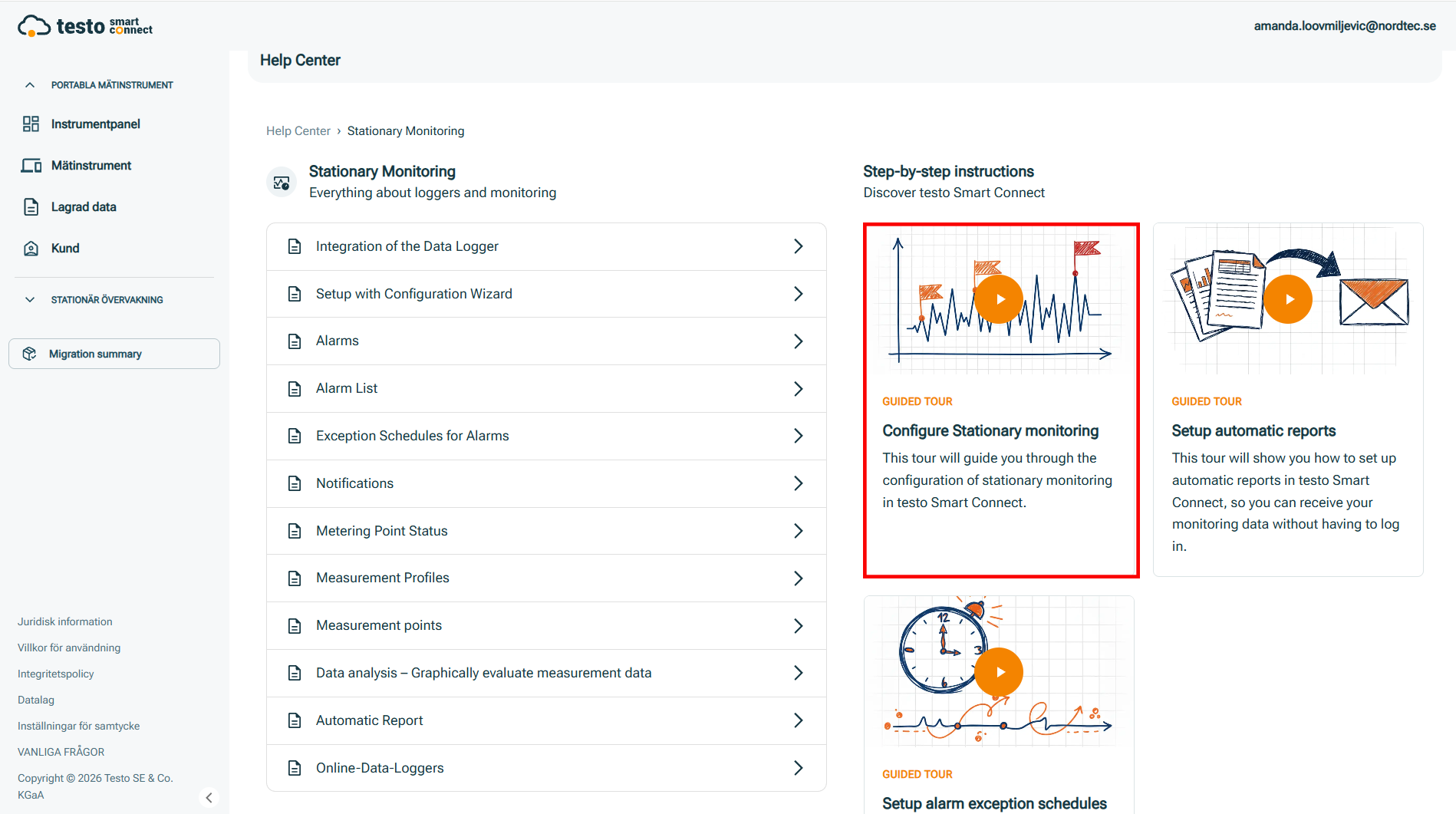
Click “Stationary Monitoring.”
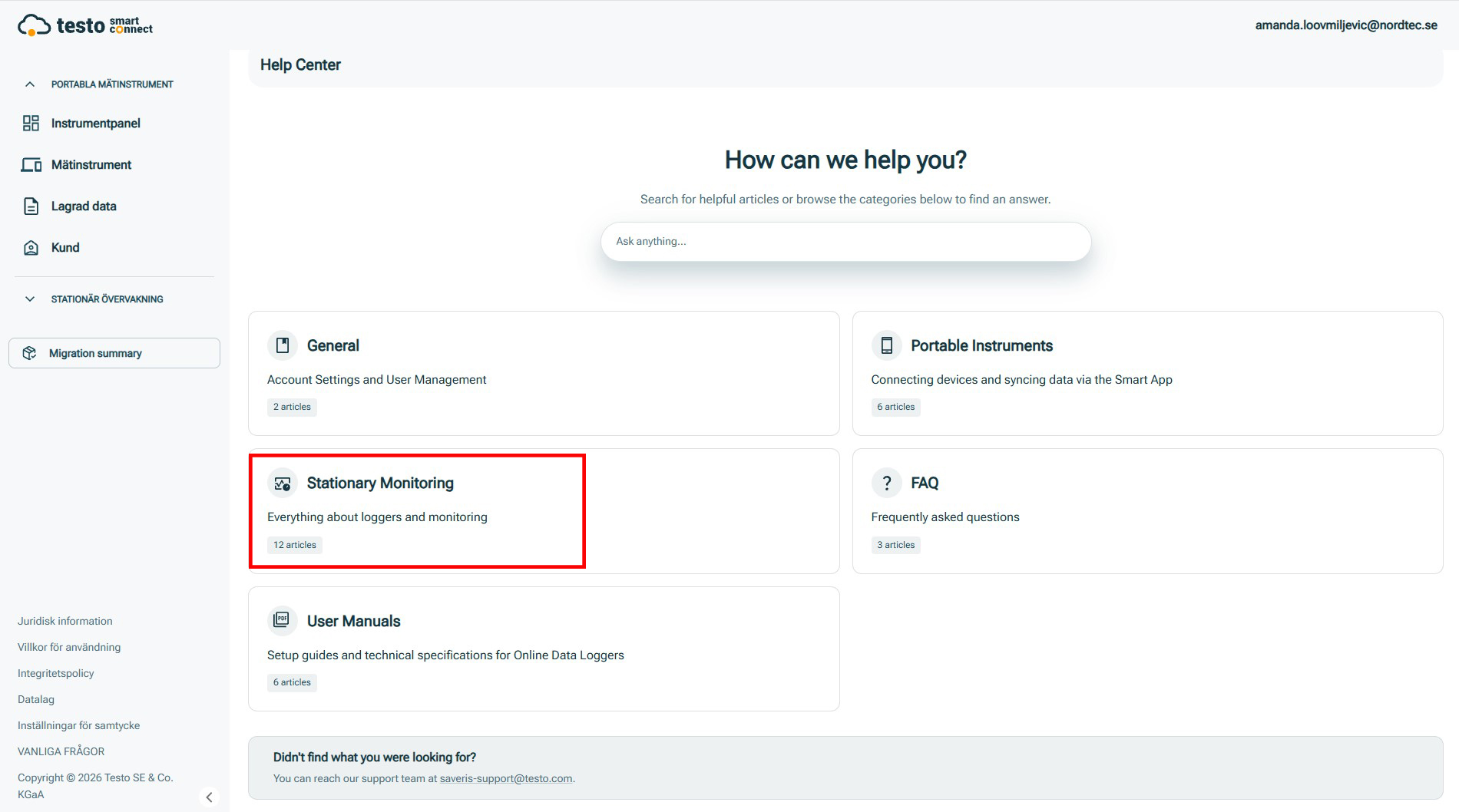
Here you’ll find, among other things, an interactive guide that walks you through the instructions step by step to configure the monitoring system.
Under the “General” menu option in the Help Center, you’ll find account settings and information on how to create and manage users.
Contact persons

CUSTOMER SERVICE AND SALES
Mattias Töreskog
Area of responsibility: Technical support, Food, Life Science
mattias.toreskog@nordtec.se
031-704 10 84
031-704 10 70